CAMRA members can rate beers using CAMRA’s website. Just find the pub, using the search bar or by clicking the Pubs Nearby button on mobile, then click Beer Score.
You can also help others know what beers are available, and speed up the rating process for them, by ‘spotting’ beers which are currently pouring at the pub. These, along with any beers you score, will be listed on the pub’s entry for a short period.
Ratings are used by the Branch in the selection of pubs for the Good Beer Guide and Pubs of the Year.
Ratings range from Undrinkable to Excellent, and should be based on how well the beer has been kept and served in the pub, rather than how much you like the beer – although clearly, those things will be related! Live beer being a living product, it is inevitable that occasionally you will be served a beer which has turned, or reached the end of the cask. If you return the beer to the bar, and it is replaced and the beer taken off service, please don’t submit a rating for it, as this would unfairly reduce the pub’s average.
If the pub doesn’t serve draught cask ale, there are options to let us know why on the same page, or send an email to the branch.
The screens below show the process of finding a pub and rating a beer, whether already known to CAMRA or not, and reporting that there’s no real ale.
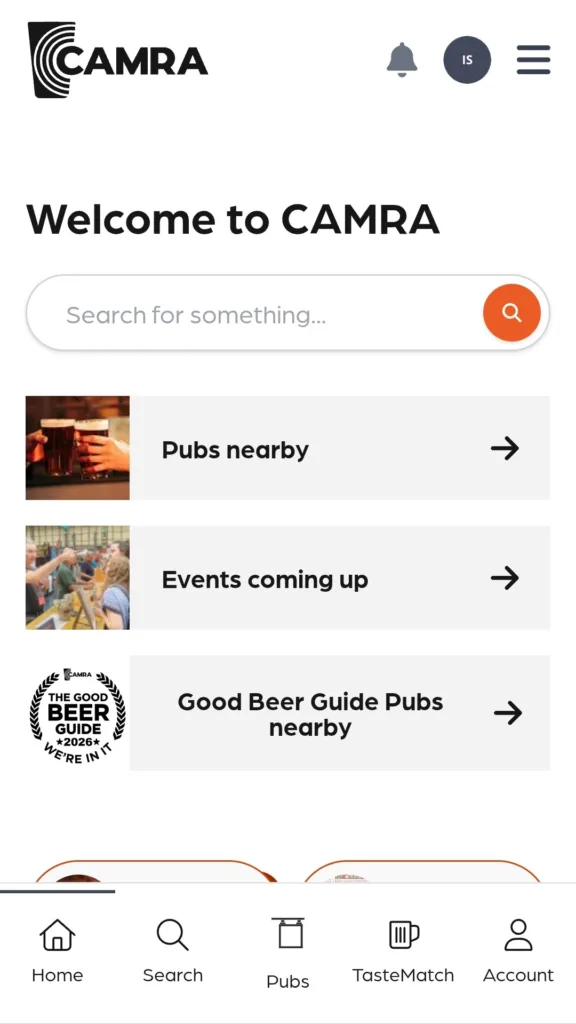
From camra.org.uk click Pubs nearby, or start typing a pub name or location
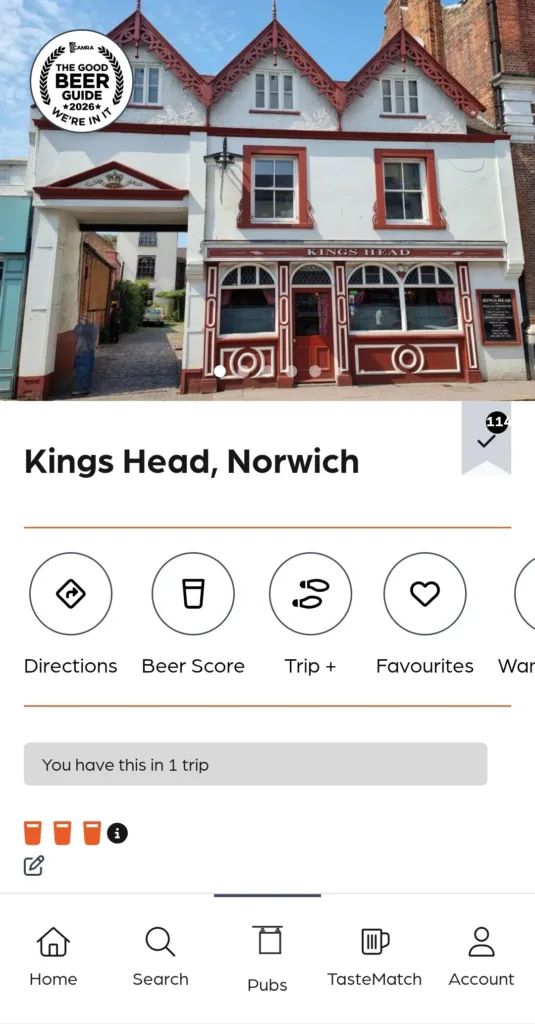
Select the first pub on the list, or the one you’re looking for, and click Beer Score
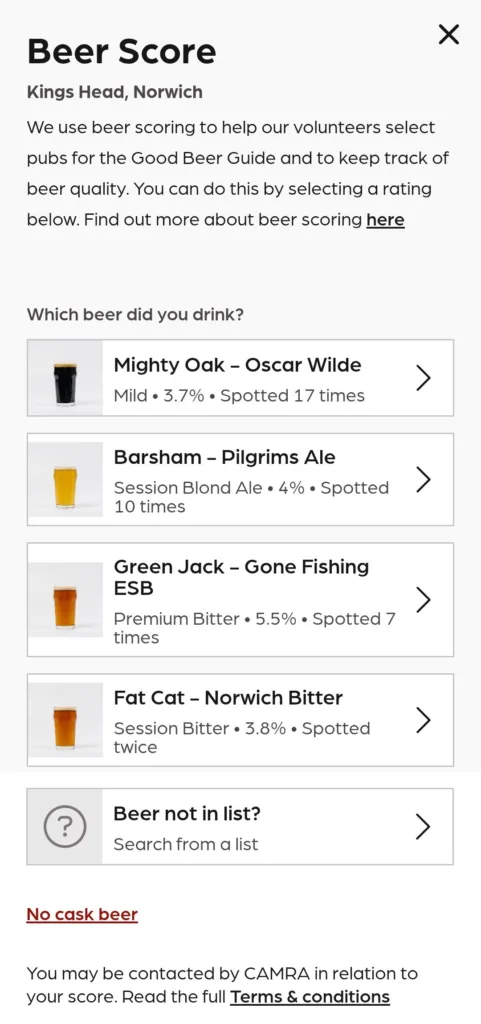
Select one of the listed beers, or Beer not in list, or click the No cask beer link
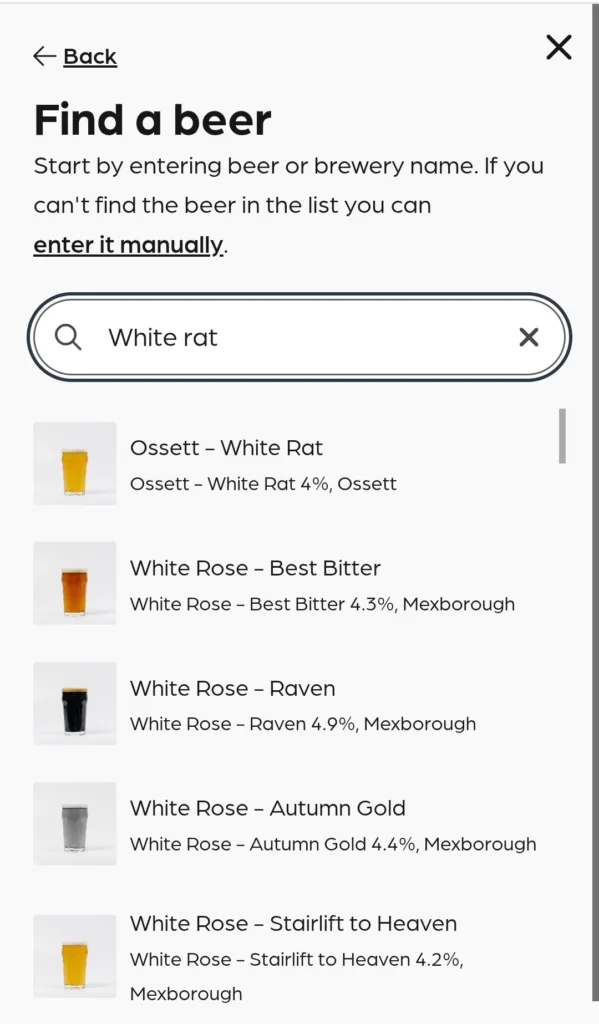
Start typing the beer name, or brewery name, and select from the list, or if you can’t find it, click enter it manually
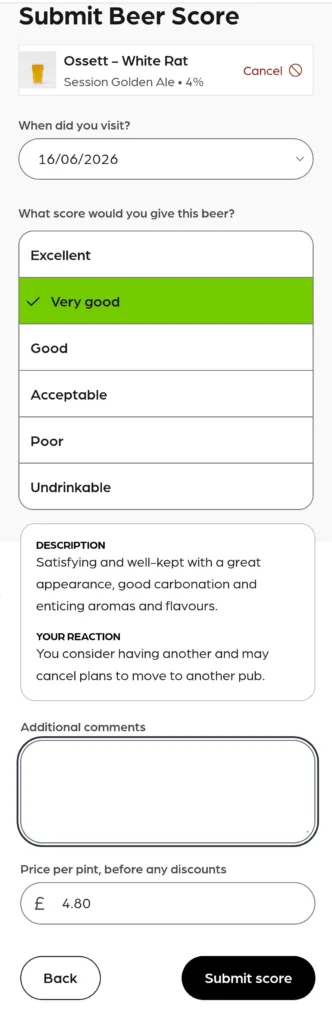
Select a date if necessary, then click a rating and its description will appear. If you wish you can add a comment for your own use, and the price of a pint. Click Submit score to complete the process.
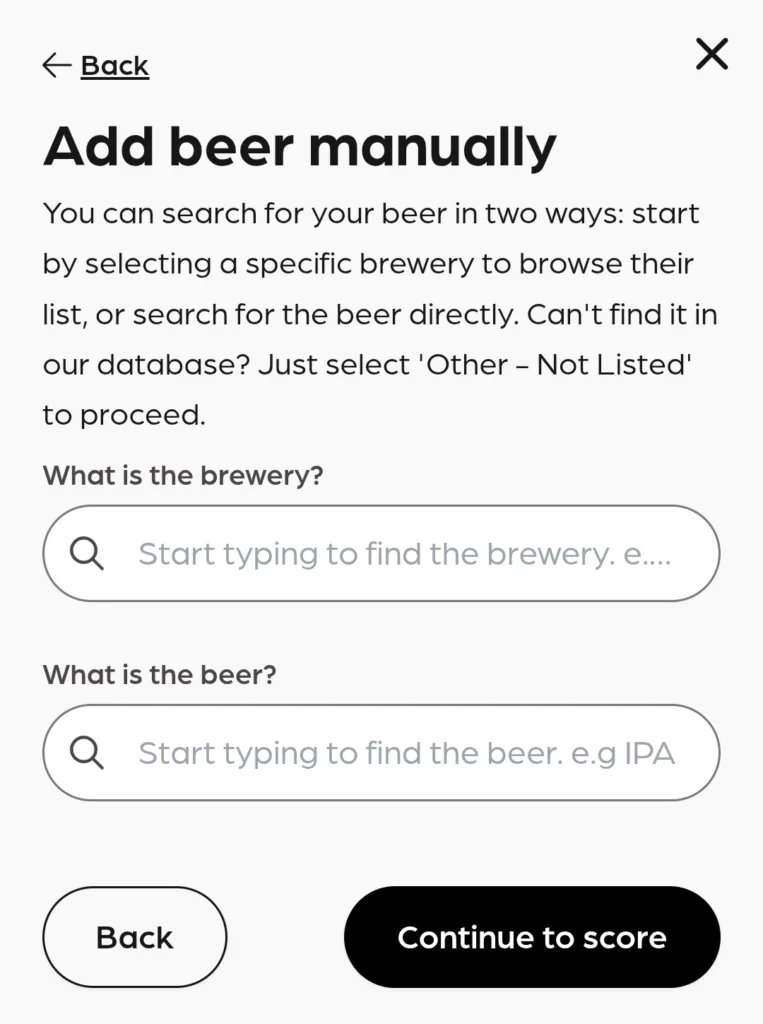
If the beer you’re looking for isn’t known to CAMRA – we only upload beers that are regularly produced – then simply start typing the brewery name and select the brewery, then enter the beer name, as accurately as possible from the pump clip, then click Continue to score.
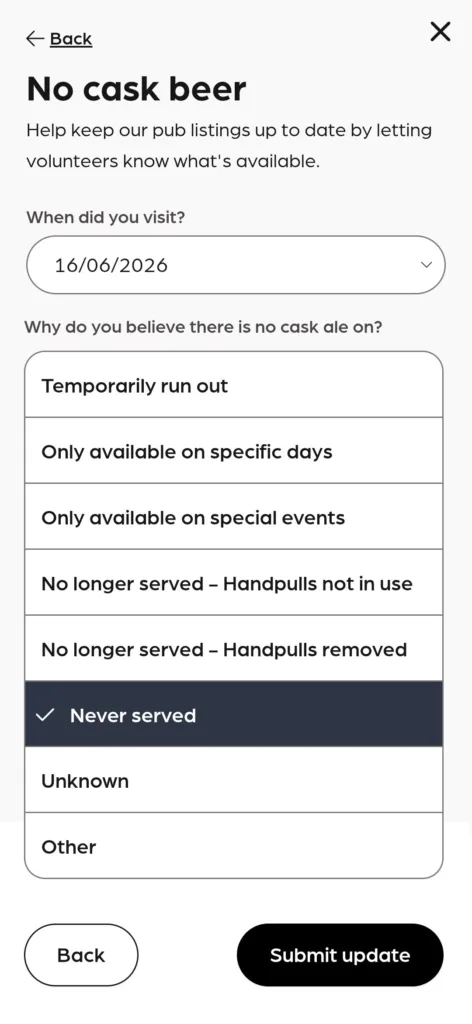
If no cask beer is available, please let the branch know, by selecting the appropriate option and clicking Submit update.